Welcome to Alpaca Farming in Maryland!
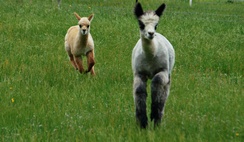
Alpaca cria enjoying a pronk around the pasture!
The Maryland Alpaca Breeders Association (MABA) welcomes you to our web site and the wonderful world of alpacas!
Formed in 1996, the Maryland Alpaca Breeders Association is a dedicated group of alpaca owners, breeders, fiber artists, and enthusiasts working together to provide educational and marketing opportunities for residents of Maryland and surrounding areas.
Please browse our site for more information on alpacas, investment opportunities, alpaca fiber and products, alpacas for sale, farms near you, and lots more about alpacas!
Note to MABA members: If you don't see your farm listed on the MABA Farms search page, you need to create an account through Openherd's FREE Affiliate Program. Details >
|